Use the Self-Care Portal to unblock a card
Self-Care Portal
If you’ve previously blocked a customer’s card, use the Self-Care Portal to unblock the card. Before you unblock a card, make sure that you’ve verified the cardholder’s information and business requirements.
To unblock a card, complete the following steps:
Sign in to https://payments.payroc.com/merchant/selfcare/.
From the side menu, select Settings, and then select Blocked Cards.
(Optional) Use the filters to display only the blocked cards.
Locate the card that you want to unblock.
From the Action column, select
 , and then select Unblock Card.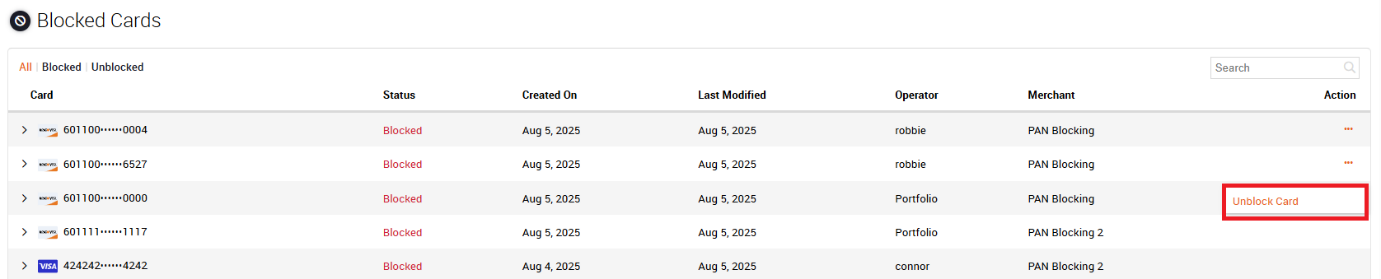
In the dialog box, enter a reason for unblocking the card, and then select UNBLOCK. The customer's card is now unblocked.