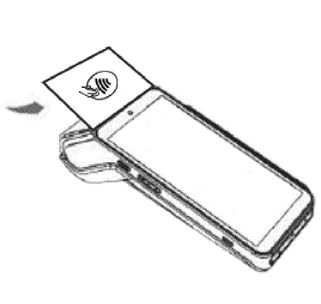
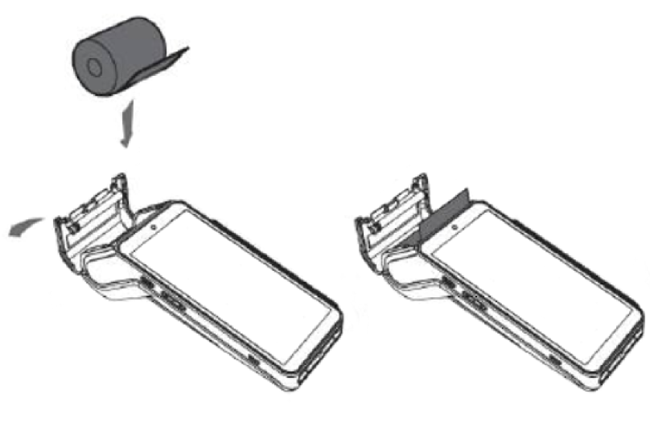
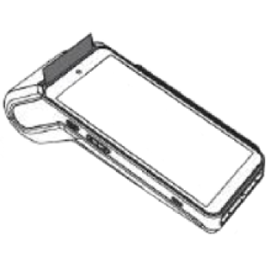
Updated 2026-07-23Replace the printer paper on your AXIUM DX8000Payroc App on an AXIUM DX8000Lift and pull the flap to open the printer cover. Remove the empty roll.Insert the new roll of printer paper. Close the printer cover.Related articlesAxium DX8000 Quick Start GuideChange the print mode on your AXIUM deviceOrder printer paper in Payroc InsightsWalk me through thisAsk about this article
Replace the printer paper on your AXIUM DX8000Payroc App on an AXIUM DX8000Lift and pull the flap to open the printer cover. Remove the empty roll.Insert the new roll of printer paper. Close the printer cover.Related articlesAxium DX8000 Quick Start GuideChange the print mode on your AXIUM deviceOrder printer paper in Payroc Insights