Newland N950 Quick Start Guide
Roc Terminal+ on an N950 device
Set up your N950 device.
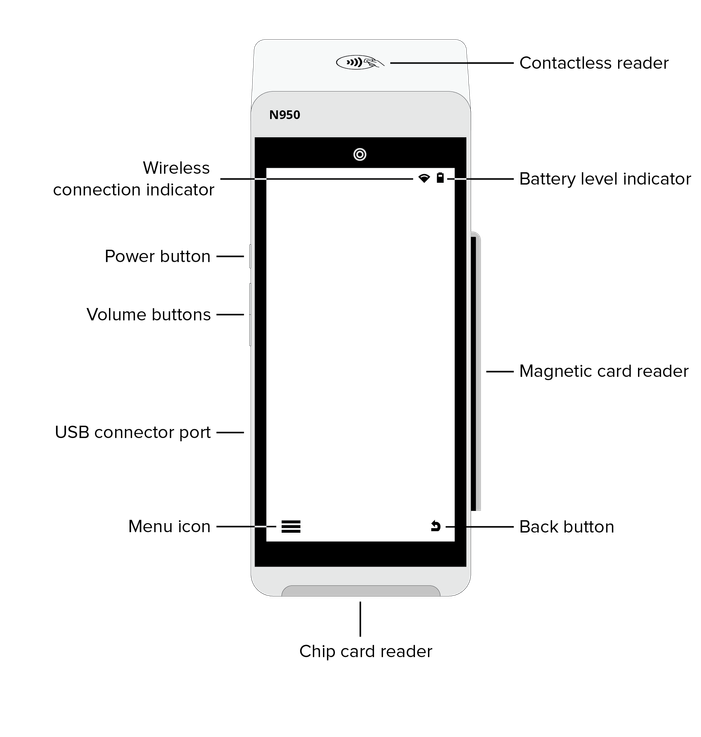
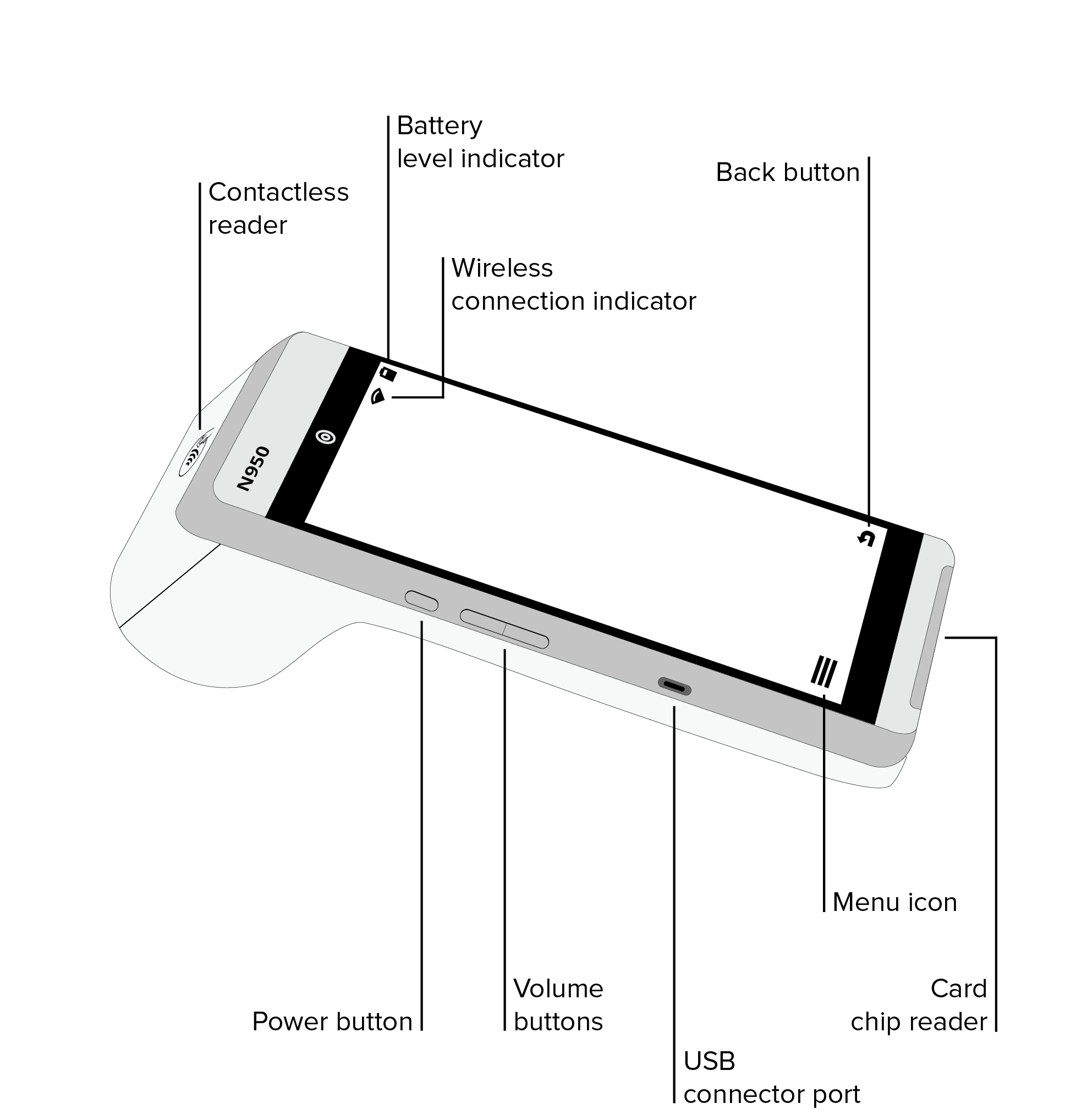
Getting started
Step 1. Charge your device
- Plug the USB-C cable into your device, and then plug the other end of the cable into a USB socket.
Step 2. Turn on your device
- Press and hold the power button for four seconds.
Step 3. Connect your device to your wireless network
- From the home screen, tap the Main Menu icon ≡.
- Tap Settings, and then tap WiFi Config.
- Tap the name of your wireless network.
- Type the password for your wireless network.
- Tap Connect.
Troubleshooting
My device can't connect to my wireless network
- Make sure that your device is close to your router, and then try to connect to your network again.
My device doesn't turn on
Complete the following steps:
- Charge your device.
- Press and hold the power button for at least four seconds.
Any questions?
Contact our Customer Support team at 888.477.4500 or email cs@payroc.com.
For more information about your device, go to our Support Hub at www.support.payroc.com/s.